
Finish the estimate
Review scope, pricing, customer details, and margin before presentation.
Professional Proposals
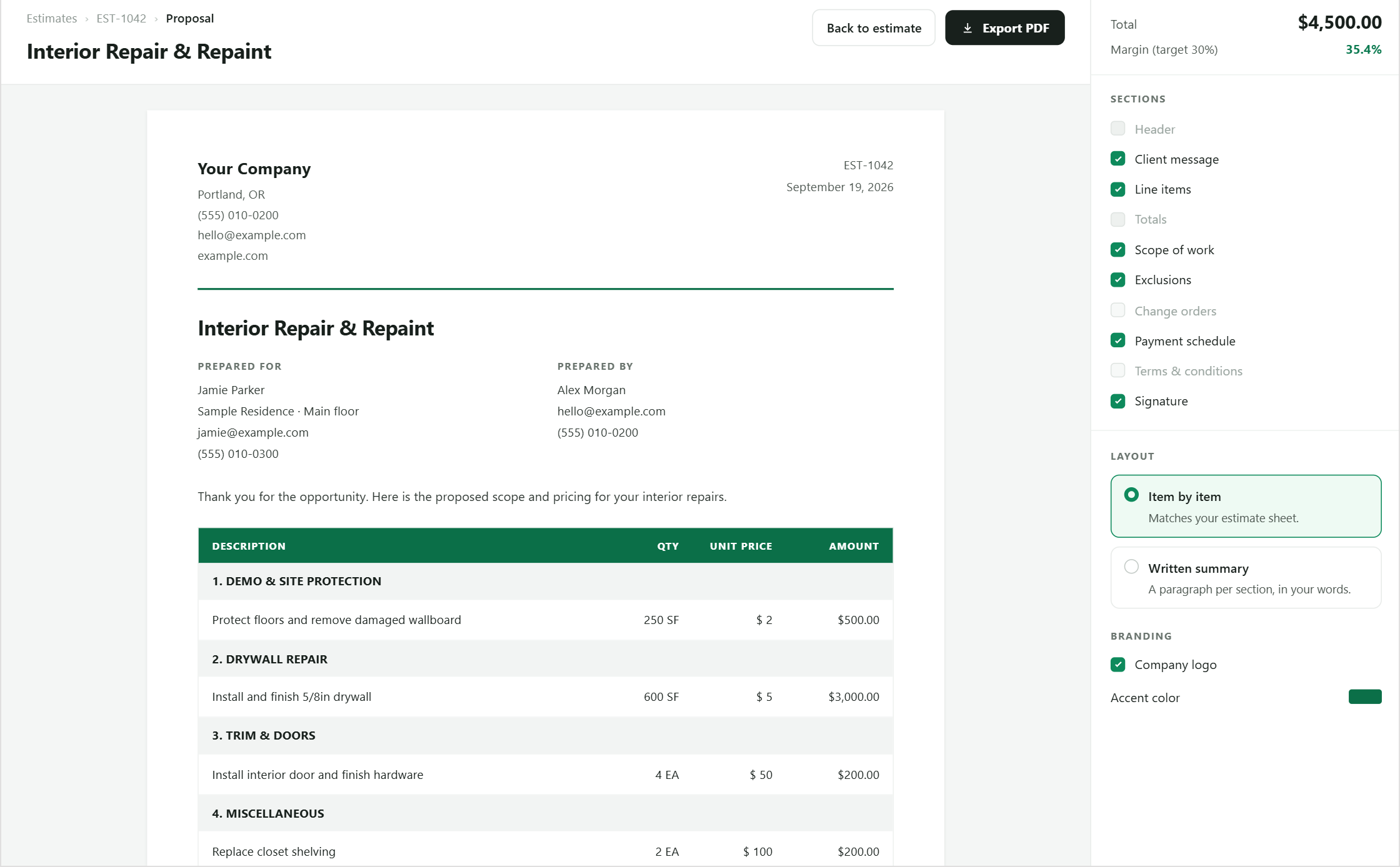
Carry approved scope and pricing into a branded PDF with company details, terms, and a consistent layout.
Why it matters
BidPilot separates the internal estimating workspace from the document a customer receives while keeping both tied to the same approved scope.
How it works
Each step stays visible, editable, and connected to the same job.
Review scope, pricing, customer details, and margin before presentation.
Choose the descriptions, sections, assumptions, and terms the customer should see.
Use the maintained branding and document layout for the organization.
Print or save the final proposal for delivery to the client.
Built into the workflow
Present company identity consistently across proposals.
Carry maintained company terms into new proposal documents.
Keep old estimate output stable when the canonical template changes.
Control which estimate content appears in the proposal.
Add state-specific notice language — cancellation rights, lead-paint disclosure, e-signature consent — from a maintained library, with blanks flagged before you send.
Keep exploring
Questions
Straight answers about how this part of BidPilot works.
Start free and teach BidPilot the rest as you work.
Start free trial