
Scope the finish work
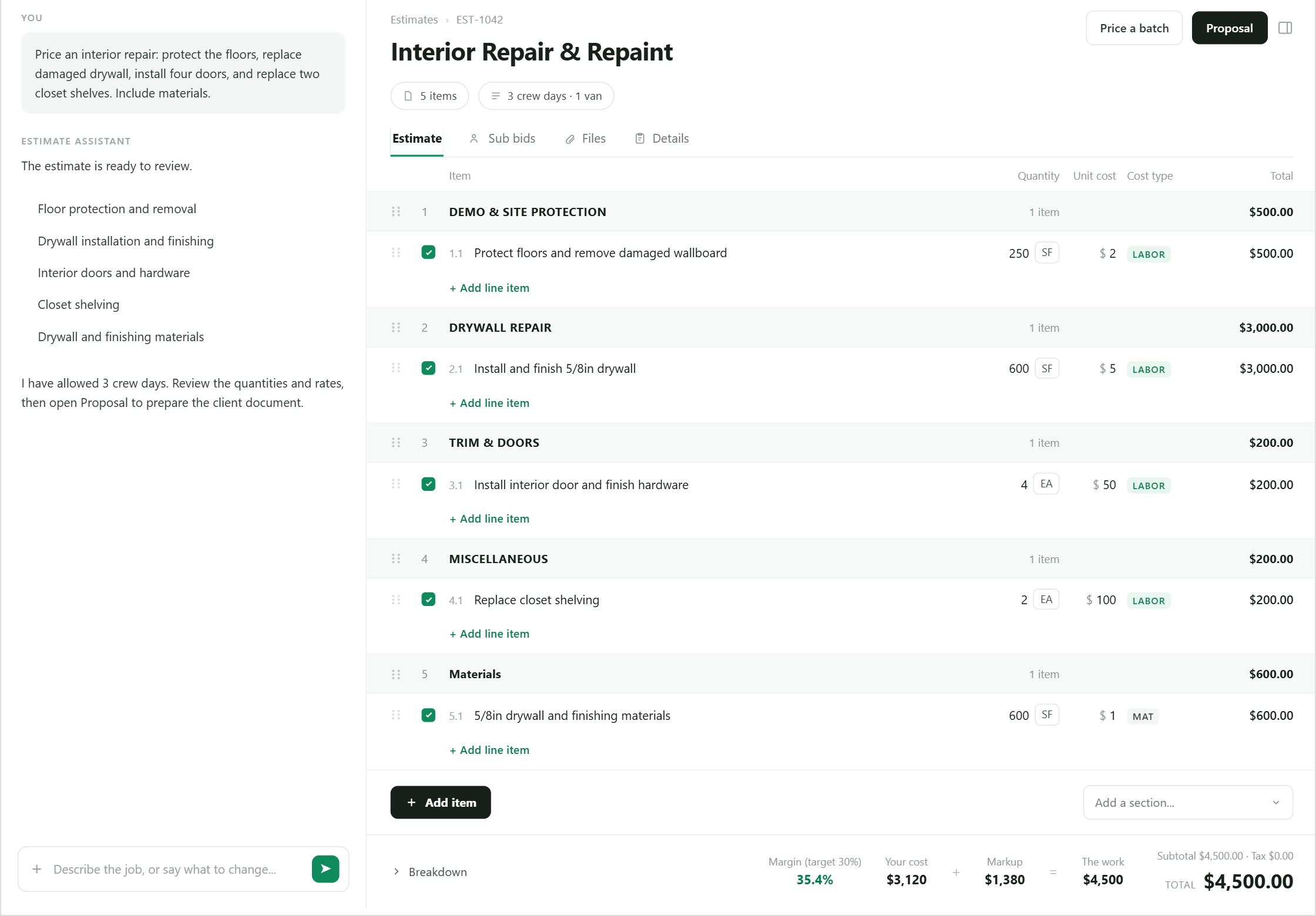
Break the paint, drywall, and trim portion into rooms or phases with assumptions attached.
Remodeling estimating
Build the finish-carpentry, drywall, and paint scope of a remodel against your real crew cost and rates instead of a rough allowance, then carry it into a client proposal.
Where estimates go wrong
Break the paint, drywall, and trim portion into rooms or phases with assumptions attached.
Use company pricing, costs, past jobs, and a crew-based cost basis.
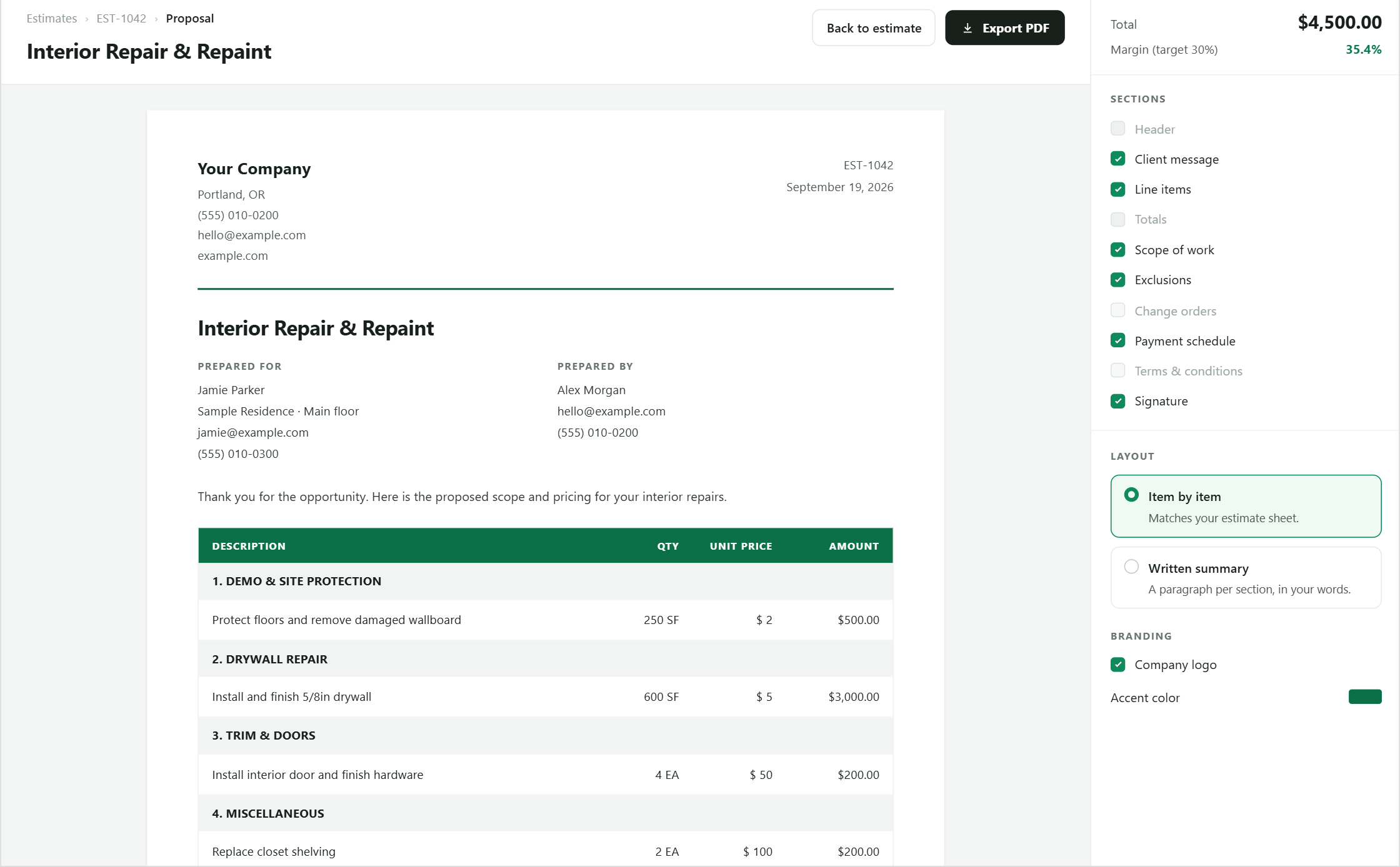
Check margin and turn the same structure into a proposal.
Example workflow
Show demo, drywall repair, trim, paint, protection, and cleanup for the finish work in a structure the team and client can follow.
Why it matters
Occupied-home prep, patch-and-match, trim replacement, and finish coats get folded into a rough allowance instead of priced against your actual crew cost.
How it works
Each step stays visible, editable, and connected to the same job.
Capture demo, protection, drywall repair, trim, and paint for the areas in the remodel.
Reference similar company estimates and current pricing.
Check duration, crew basis, material, and resulting margin.
Present the finish scope, exclusions, and client-facing totals.
Built into the workflow
Keep demo, drywall, trim, and paint as line items you can review, not one folded-in allowance.
Measure the proposed price against the crew and duration behind it.
Use similar work as company context for the new estimate.
Carry reviewed scope directly into the client document.
Keep exploring
Questions
Straight answers about how this part of BidPilot works.
Not for now. BidPilot is built for estimating the painting, drywall, and trim portion of a remodel with real crew cost and margin — it does not structure electrical, plumbing, or other subcontractor trades as separate scopes. You can still add a subcontractor's quote as its own line if you want it in the same total.
Yes. Use sections that match how your company reviews and presents the project.
Start free and teach BidPilot the rest as you work.